
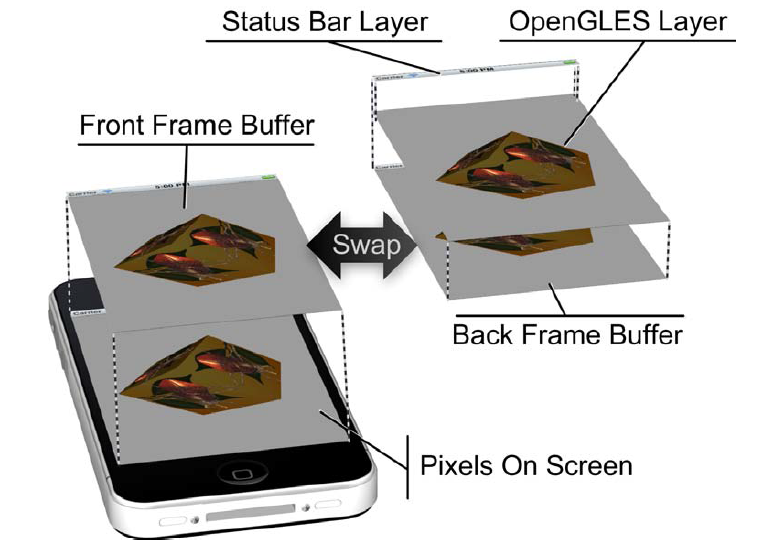
iOS 系统会通过一个称之为 Core Animation Compositor (核心动画合成器[系统组件])去控制最终在屏幕显示的图像。
–> 核心动画层可以同时拥有多个图层;
–> 图层保存了所有的绘制结果;
–> Core Animation Compositor 是由 OpenGL ES 来控制图形处理、图层的合成、帧缓存数据的快速交换;
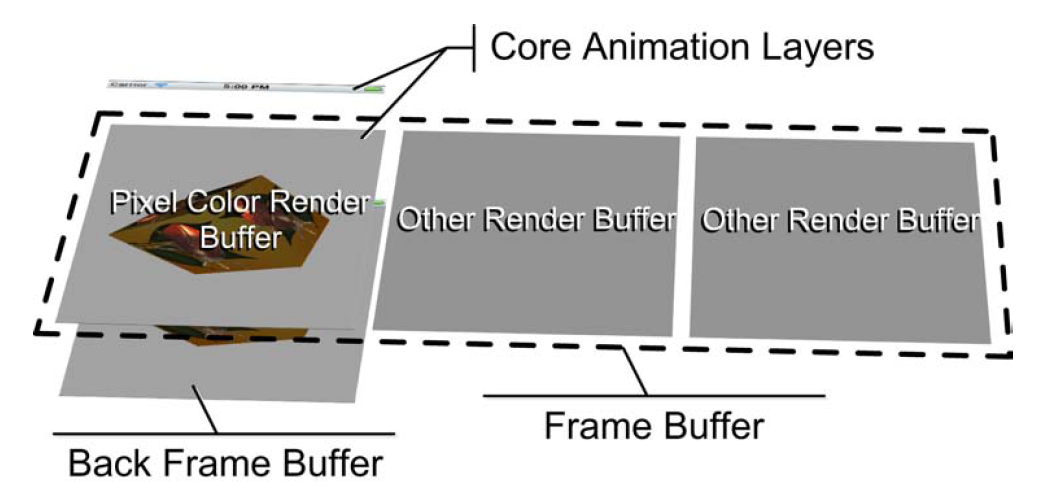
–> pixel color render buffer,是 Frame Buffers 与 Layers 交换数据的地方(共享);
–> other render buffers,是可选的,但一个 OpenGL ES 程序至少包含一个;
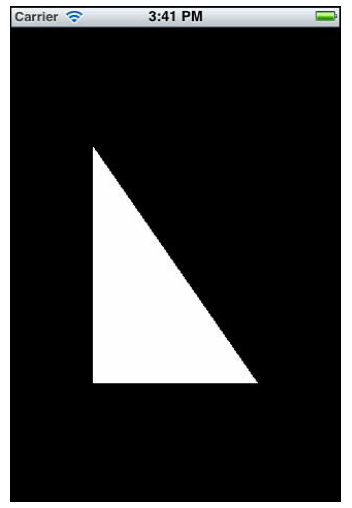
–?-> 如果用 UIKit 直接做会怎样?
—-> Try It …
ViewController.view + UIImageView
前者,设置背景色为黑色;
后者,添加进前者中成为子控件;
1)后者直接设置 .image 为 一张白色的图片(自己要制作一张图片);
2)后者不设置图片,设置颜色为白色,再 .layer 设置贝赛尔曲线进行剪切(要自己计算坐标,并进行绘制);
—->
–?-> 使用 OpenGL ES 直接进行绘制?
首先,分析图像的组成:
-
背景色是纯黑色的;
-
图中有一个白色的直角三角形;
- 因为 OpenGL ES 实际绘制的图形是根据坐标点来进行填充的,而且三角形是由三个顶点连线组成的,所以 OpenGL ES 绘制的时候需要 三个坐标点; —-> Just Do It …
类的绑定:
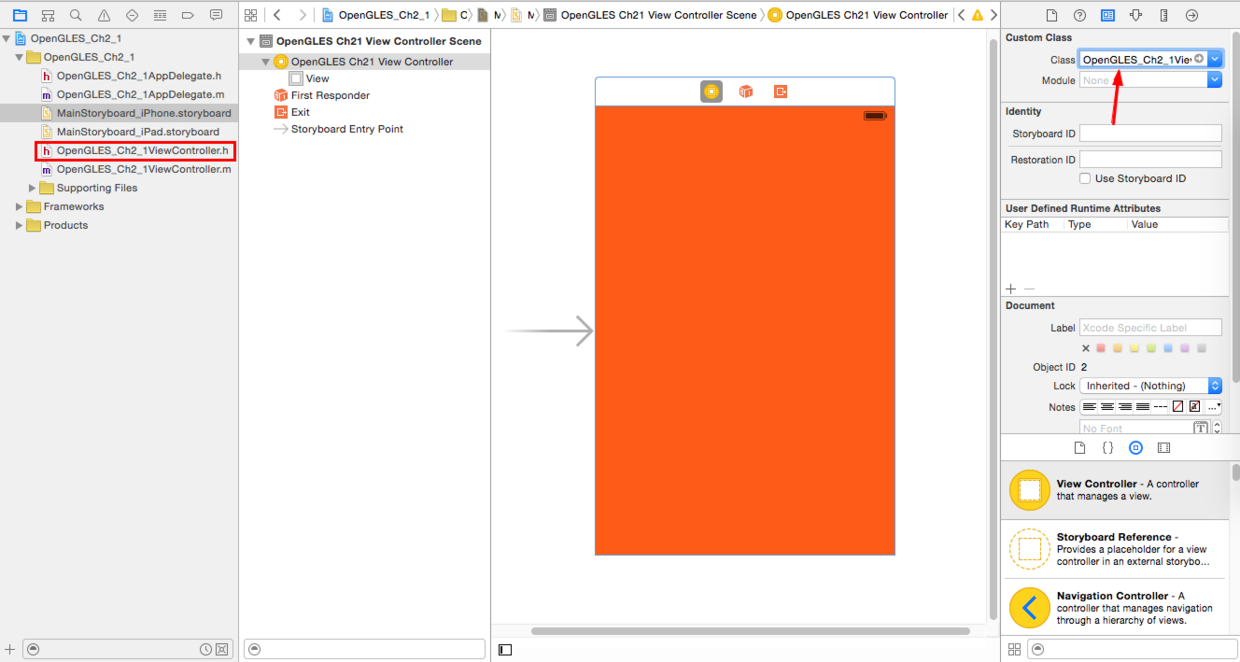
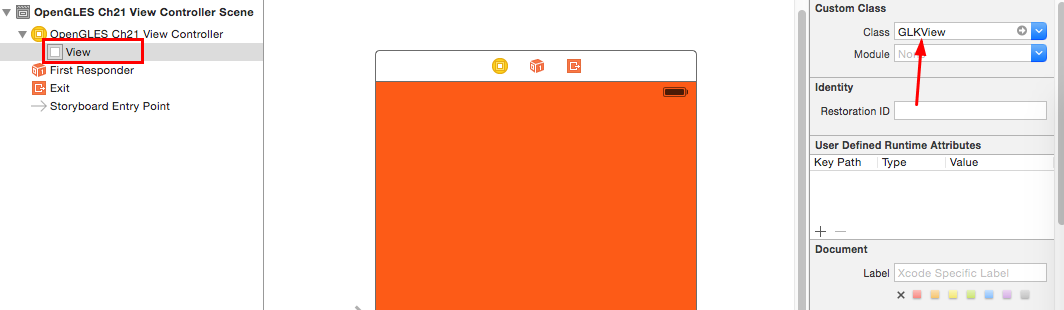
核心代码:

完整代码:
//
//  OpenGLES_Ch2_1ViewController.m
//  OpenGLES_Ch2_1
//

#import "OpenGLES_Ch2_1ViewController.h"

@implementation OpenGLES_Ch2_1ViewController

@synthesize baseEffect;

/////////////////////////////////////////////////////////////////
// This data type is used to store information for each vertex
typedef struct {
   GLKVector3  positionCoords;
}
SceneVertex;

/////////////////////////////////////////////////////////////////
// Define vertex data for a triangle to use in example
static const SceneVertex vertices[] =
{
   {{-0.5f, -0.5f, 0.0}}, // lower left corner
   {{ 0.5f, -0.5f, 0.0}}, // lower right corner
   {{-0.5f,  0.5f, 0.0}}, // upper left corner
};


/////////////////////////////////////////////////////////////////
// Called when the view controller's view is loaded
// Perform initialization before the view is asked to draw
- (void)viewDidLoad
{
   [super viewDidLoad];

   // Verify the type of view created automatically by the
   // Interface Builder storyboard
   GLKView *view = (GLKView *)self.view;
   NSAssert([view isKindOfClass:[GLKView class]],
      @"View controller's view is not a GLKView");

   // Create an OpenGL ES 2.0 context and provide it to the
   // view
   view.context = [[EAGLContext alloc]
      initWithAPI:kEAGLRenderingAPIOpenGLES2];

   // Make the new context current
   [EAGLContext setCurrentContext:view.context];

   // Create a base effect that provides standard OpenGL ES 2.0
   // Shading Language programs and set constants to be used for
   // all subsequent rendering
   self.baseEffect = [[GLKBaseEffect alloc] init];
   self.baseEffect.useConstantColor = GL_TRUE;
   self.baseEffect.constantColor = GLKVector4Make(
      1.0f, // Red
      1.0f, // Green
      1.0f, // Blue
      1.0f);// Alpha

   // Set the background color stored in the current context
   glClearColor(0.0f, 0.0f, 0.0f, 1.0f); // background color

   // Generate, bind, and initialize contents of a buffer to be
   // stored in GPU memory
   glGenBuffers(1,                // STEP 1
      &vertexBufferID);
   glBindBuffer(GL_ARRAY_BUFFER,  // STEP 2
      vertexBufferID);
   glBufferData(                  // STEP 3
      GL_ARRAY_BUFFER,  // Initialize buffer contents
      sizeof(vertices), // Number of bytes to copy
      vertices,         // Address of bytes to copy
      GL_STATIC_DRAW);  // Hint: cache in GPU memory
}


/////////////////////////////////////////////////////////////////
// GLKView delegate method: Called by the view controller's view
// whenever Cocoa Touch asks the view controller's view to
// draw itself. (In this case, render into a frame buffer that
// shares memory with a Core Animation Layer)
- (void)glkView:(GLKView *)view drawInRect:(CGRect)rect
{
   [self.baseEffect prepareToDraw];

   // Clear Frame Buffer (erase previous drawing)
   glClear(GL_COLOR_BUFFER_BIT);

   // Enable use of positions from bound vertex buffer
   glEnableVertexAttribArray(      // STEP 4
      GLKVertexAttribPosition);

   glVertexAttribPointer(          // STEP 5
      GLKVertexAttribPosition,
      3,                   // three components per vertex
      GL_FLOAT,            // data is floating point
      GL_FALSE,            // no fixed point scaling
      sizeof(SceneVertex), // no gaps in data
      NULL);               // NULL tells GPU to start at
                           // beginning of bound buffer

   // Draw triangles using the first three vertices in the
   // currently bound vertex buffer
   glDrawArrays(GL_TRIANGLES,      // STEP 6
      0,  // Start with first vertex in currently bound buffer
      3); // Use three vertices from currently bound buffer
}


/////////////////////////////////////////////////////////////////
// Called when the view controller's view has been unloaded
// Perform clean-up that is possible when you know the view
// controller's view won't be asked to draw again soon.
- (void)viewDidUnload
{
   [super viewDidUnload];

   // Make the view's context current
   GLKView *view = (GLKView *)self.view;
   [EAGLContext setCurrentContext:view.context];

   // Delete buffers that aren't needed when view is unloaded
   if (0 != vertexBufferID)
   {
      glDeleteBuffers (1,          // STEP 7
                       &vertexBufferID);
      vertexBufferID = 0;
   }

   // Stop using the context created in -viewDidLoad
   ((GLKView *)self.view).context = nil;
   [EAGLContext setCurrentContext:nil];
}

@end
—->完整分析
绘制的整体过程: 【标记 Buffers –> 绑定 Buffers –> 初始化 Buffers –> 使能 Buffers –> 计算所有点的偏移量 –> 绘制 Buffers –> 删除 Buffers 】
OpenGLES_Ch2_1ViewController.h 文件

分析:
- 因为OpenGL ES 2.0 绘制的第一步需要一个标记,所以需要定义一个 GLuint 变量作为标记
GLuint 的定义: typedef uint32_t GLuint; (位于 OpenGLES/gltypes.h)
- GLKBaseEffect ,基本的效果类

OpenGLES_Ch2_1ViewController.m 文件:

分析(viewDidload):
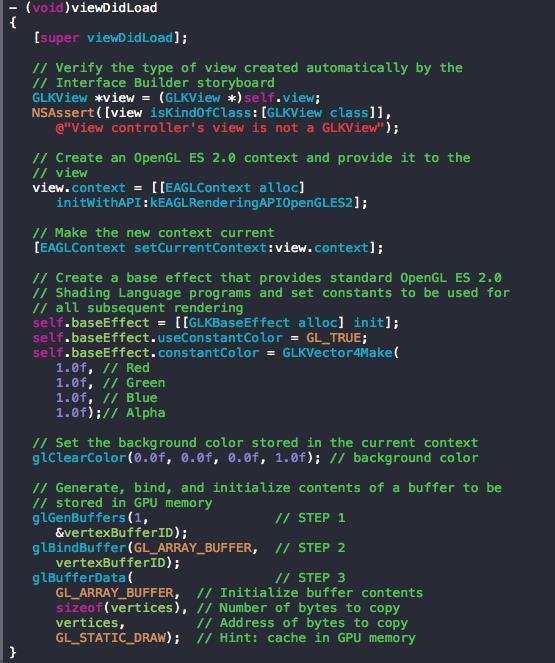
【步骤:判定当前 View 是否是 GLKView –> 设置上下文环境(Context) –> 设置基本渲染效果(baseEffect) –> 准备绘制的数据(标记 Buffers –> 绑定 Buffers –> 初始化 Buffers ) 】


-
1、
view.context的定义: GLKit/GLKView.h –>@property (nonatomic, retain) EAGLContext *context; -
2、
initWithAPI:定义:OpenGLES/EAGL.h –>- (instancetype) initWithAPI:(EAGLRenderingAPI) api; -
3、
EAGLRenderingAPI的定义:
typedef NS_ENUM(NSUInteger, EAGLRenderingAPI)
{
	kEAGLRenderingAPIOpenGLES1 = 1,
	kEAGLRenderingAPIOpenGLES2 = 2,
	kEAGLRenderingAPIOpenGLES3 = 3,
};
因为现在 OpenGL ES 已经更新到 3.0了所以有三个选项,因为本文的例子是 基于OpenGL ES 2.0 所以要选择 kEAGLRenderingAPIOpenGLES2 (注意这个不能选错);
- 4、
setCurrentContext的定义:+ (BOOL) setCurrentContext:(EAGLContext*) context;,可以监听返回值,设置是否成功;
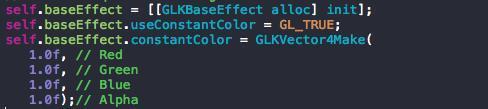
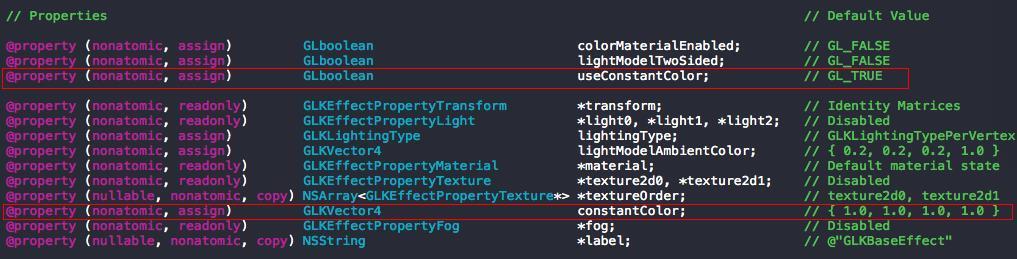
(1)、BaseEffect 的属性
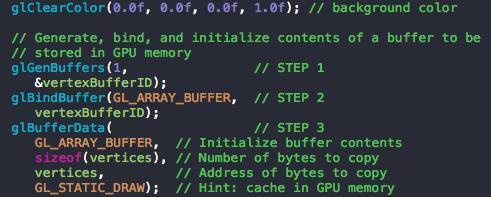
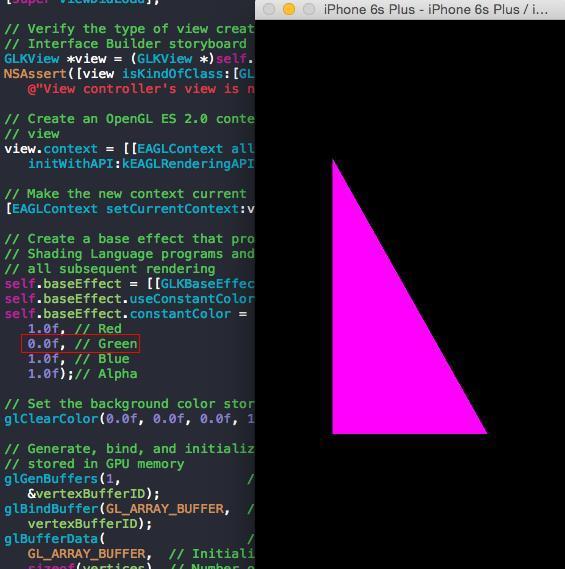
(2)、constantColor 填充色(设置填充色的前提是self.baseEffect.useConstantColor = GL_TRUE;,开启填充色),如果把 Green 置零

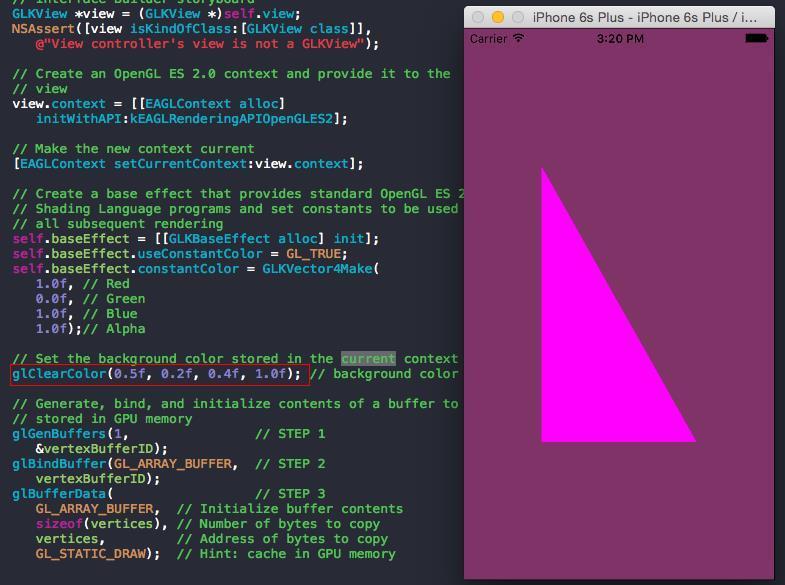
(3)、glClearColor,设置(view)背景色,定义 –> GL_API void GL_APIENTRY glClearColor (GLfloat red, GLfloat green, GLfloat blue, GLfloat alpha);修改颜色值观察变化
(4)、glGenBuffers,添加标记,定义GL_API void GL_APIENTRY glGenBuffers (GLsizei n, GLuint* buffers);, GLsizei typedef int32_t GLsizei;
第一个参数是表明,有多少个标记;
第二个参数是表明,标记数是多少;
(5)、glBindBuffer,添加绑定,定义GL_API void GL_APIENTRY glBindBuffer (GLenum target, GLuint buffer); GLenum typedef uint32_t GLenum;
第一个参数是表明,要绑定的 Buffers 类型(有两个值:GL_ARRAY_BUFFER, GL_ELEMENT_ARRAY_BUFFER)
(6)、glBufferData,定义:GL_API void GL_APIENTRY glBufferData (GLenum target, GLsizeiptr size, const GLvoid* data, GLenum usage);
第一个参数,何种类型的 Buffers ;
第二个参数,GLsizeiptr typedef intptr_t GLsizeiptr; (就是 long), 拷贝多少字节的数据;
第三个参数, 数据的指针;
第四个参数,绘制的类型(STATIC 是表明 Buffers 的内容是静态的,不再改变;DYNAMIC 表明 Buffers 的内容是频繁更新的);
(7)、vertices,因为我们是要绘制 三角形,所以有三个坐标点(顶点):

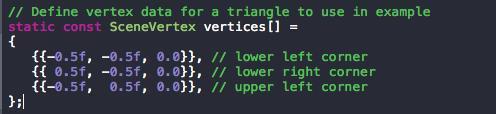
其中GLKVector3 定义 :
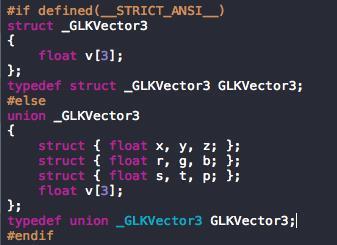
(Union,共用体)
–> 因为 OpenGL ES 的坐标范围为:【-1,1】,三角形在坐标系下的展示为:
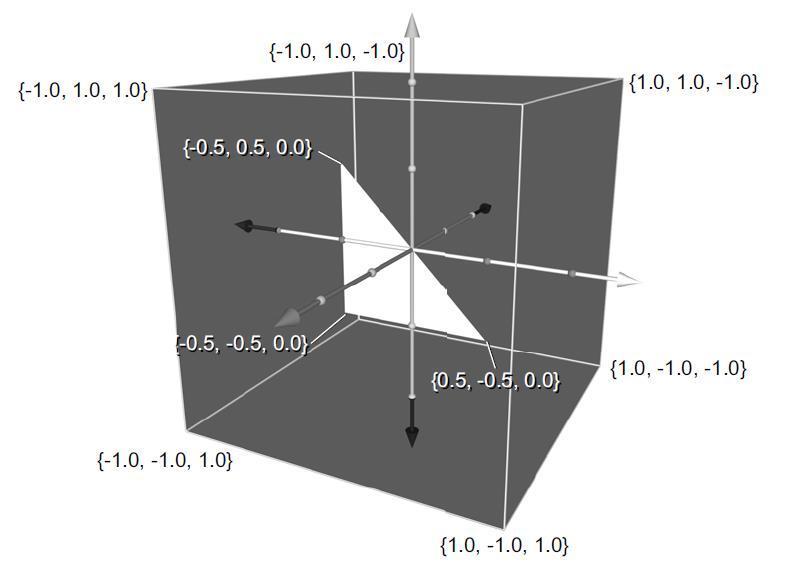
数据的准备已经做完,那么现在就可以进行图形绘制了。
绘制的方法是,- (void)glkView:(GLKView *)view drawInRect:(CGRect)rect 这个方法是 GLKView 的代理方法;
Dash 中查看代理方法:
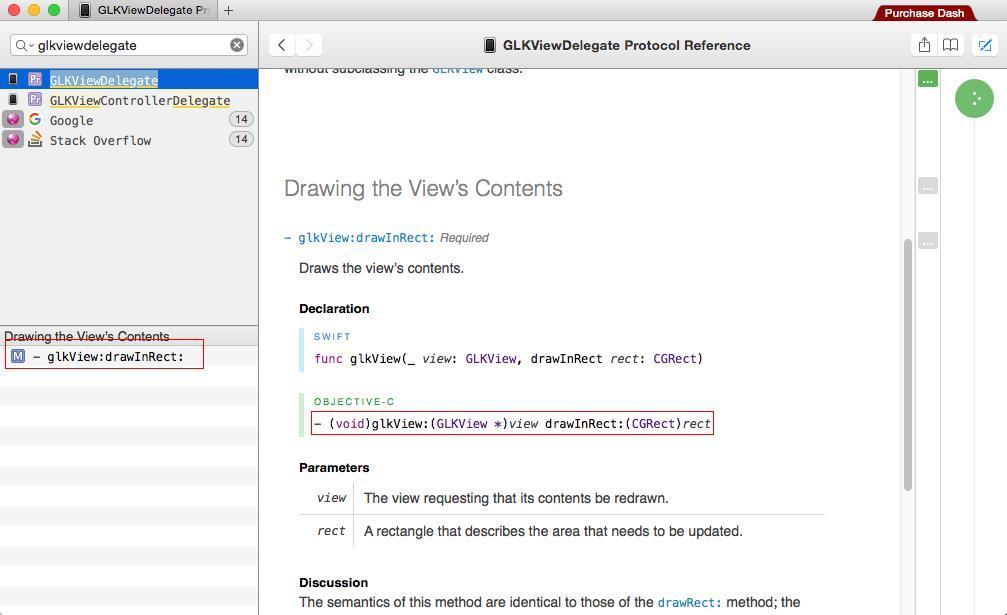
只有一个代理方法,在 Controller 需要重新绘制 View 的时候都会调用这个代理方法,进行绘制。
【绘制步骤:绘制前准备 –> 擦除之前的绘制 –> 绘制最新的】
- 绘制前准备,
[self.baseEffect prepareToDraw];
查看 prepareToDraw 方法:

同步绘制前所有的更改,保证现在要绘制的图形就是最新的修改;
(1)擦除之前的绘制
// Clear Frame Buffer (erase previous drawing)
   glClear(GL_COLOR_BUFFER_BIT);
` glClear 的定义是:GL_API void GL_APIENTRY glClear (GLbitfield mask);`;
GLbitfield,定义 :typedef uint32_t GLbitfield;有以下三个值选择:

因为现在我们绘制的图形是 2D 的而且只填充了颜色参数,所以直接选择 GL_COLOR_BUFFER_BIT 选项即可;
(2)绘制最新的
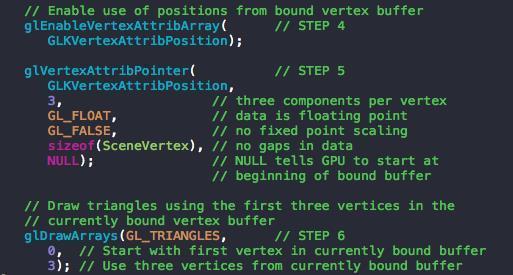
【使能 Buffers –> 计算所有点的偏移量 –> 绘制 Buffers 】
(3)使能 Buffers glEnableVertexAttribArray,函数的定义是:
GL_API void GL_APIENTRY glEnableVertexAttribArray (GLuint index) __OSX_AVAILABLE_STARTING(__MAC_NA,__IPHONE_3_0);
绘制的选项:
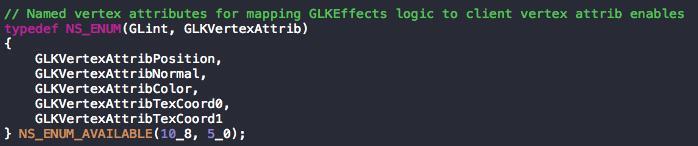
因为我们是以坐标点进行绘制的,所以选择 GLKVertexAttribPosition
(4)计算所有点的偏移量 glVertexAttribPointer , 函数定义为 GL_API void GL_APIENTRY glVertexAttribPointer (GLuint indx, GLint size, GLenum type, GLboolean normalized, GLsizei stride, const GLvoid* ptr) __OSX_AVAILABLE_STARTING(__MAC_NA,__IPHONE_3_0);
其中,GLint typedef int32_t GLint; ; GLboolean typedef uint8_t GLboolean; ; GLvoid typedef void GLvoid;
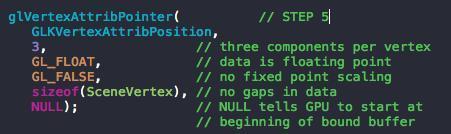
参数分析:
第一个参数,表明资源数据的类型;
第二个参数,表明一个坐标点中有多少个元素;
第三个参数,表明元素的类型是什么;
第四个参数,表明有没有使用缩放;
第五个参数,表明坐标点有多少个字节;
第六个参数,表明从坐标数据缓冲区的起始位开始;
(5)绘制三角形
glDrawArrays 定义:GL_API void GL_APIENTRY glDrawArrays (GLenum mode, GLint first, GLsizei count);
第一个参数,表明要求 GPU 绘制一个三角形;
第二个参数,表明起始坐标下标;第三个参数,表明有多少个坐标要绘制;
- 删除 Buffers

【步骤:保证当前 View.context 是正在使用的 context –> 删除 Buffers –> 停用 Context】
(1)保证 context

(2)删除 Buffers
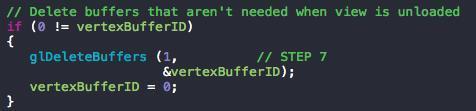
glDeleteBuffers 定义: GL_API void GL_APIENTRY glDeleteBuffers (GLsizei n, const GLuint* buffers); 与 标记的函数是一样参数,两者要一一对应起来;
最后,把 vertexBufferID 置零,表明没有使用这个标记;
(3)停用 context

设置当前绘制的 context 为 nil ,表明不再进行绘制;